Fixing Aqara Smart Hub M3 High Volume System Crashes and Reboots

After purchasing an Aqara Smart Hub M3 to manage my smart home ecosystem, I configured its security features, set the internal alarm volume to 100 percent, and armed the system by switching it to Away mode to test the built-in 95dB loudspeaker. The moment the alarm triggered, the hub completely crashed and rebooted. My initial thought was that I had received a defective unit. However, after extensive troubleshooting, I found the solution to this surprising behavior.
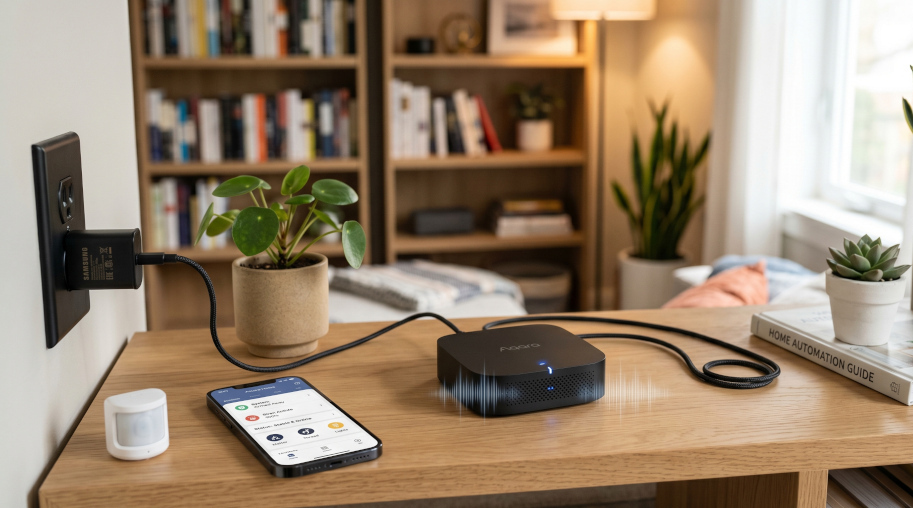
Understanding the reboot issue

When the Aqara Smart Hub M3 unexpectedly restarts the moment an alert sound is triggered at a high volume, it is not a software defect or a broken unit. Instead, it is related to how the device handles peak energy demands.

The hub’s internal loudspeaker requires a sudden, large spike in electrical current to produce loud audio. If the provided power supply is unable to deliver this surge of current instantly, the internal circuitry experiences a severe voltage drop. This momentary loss of adequate electricity causes the entire system to crash and restart.

How to fix the power supply issue

To permanently eliminate these reboots and ensure stable operation, the power delivery system must be upgraded to handle high current spikes:

  • Replace any generic, older, or low-capacity power adapters by connecting the Aqara Smart Hub M3 to a 5.0V/2.0A USB charger designed to deliver a stable and high-wattage power output. (In my case, a Samsung phone USB charger worked well.)
  • Alternatively, use Power over Ethernet (PoE). If your home network infrastructure supports PoE, you can completely remove the USB-C cable and power the Aqara Smart Hub M3 directly through its Ethernet port. This provides both excellent network stability and a highly reliable power source.

Conclusion

Providing the Aqara Smart Hub M3 with a reliable, high-wattage power source or using Power over Ethernet, you ensure that hardware demands never compromise the stability of the Aqara Smart Hub M3.

Google Home Script for announcing door open and close events using Matter door/window sensors

The Matter standard enables smart home devices from different manufacturers to work together in a reliable and secure way. One common use case is detecting when a door is opened or closed and announcing this event through Google Home speakers or sending notifications to connected devices.

This article demonstrates how to configure Google Home to announce door events using Matter-compatible sensors such as the Aqara Door and Window Sensor P2. The example uses Google Home script automations to broadcast voice announcements and trigger mobile notifications whenever the entrance door changes state.

Requirements

  • A Matter-compatible door and window sensor.
  • A Google Speaker for announcements.
  • The Google Home application with the script editor enabled, accessible via the web interface at https://home.google.com/ .

Door Closed Announcement Script

The following script broadcasts a voice message and sends a notification when the door transitions to the closed state (sensor reports openPercent = 0):

metadata:
  name: Door closed announcement
  description: Announce when the door is closed
automations:
  - starters:
      - type: device.state.OpenClose
        device: Entrance door - Entryway
        state: openPercent
        is: 0
    actions:
      - type: assistant.command.Broadcast
        message: The door was closed

      - type: home.command.Notification
        title: The door was closed
        body: The door was closedCode language: YAML (yaml)

Note: Replace "Entrance door - Entryway" in the scripts with the actual name of the Matter-compatible door and window sensor as configured in Google Home. The device name must match exactly for the automations to work correctly.

When the door closes, the Google Assistant broadcasts “The door was closed” on all Google Home devices in the household, and a push notification with the same text is sent to connected mobile devices.

Door Open Announcement Script

The following script performs the same action when the door opens (sensor reports openPercent = 100):

metadata:
  name: Door open announcement
  description: Announce when the door is open
automations:
  - starters:
      - type: device.state.OpenClose
        device: Entrance door - Entryway
        state: openPercent
        is: 100
    actions:
      - type: assistant.command.Broadcast
        message: The door was opened

      - type: home.command.Notification
        title: The door was opened
        body: The door was openedCode language: YAML (yaml)

Note: Replace "Entrance door - Entryway" in the scripts with the actual name of the Matter-compatible door and window sensor as configured in Google Home. The device name must match exactly for the automations to work correctly.

In this case, Google Assistant announces “The door was opened” and the same message is sent as a push notification.

Conclusion

Combining a Matter-compatible door sensor with Google Home scripts provides real-time feedback whenever a door is opened or closed. It delivers both audible alerts throughout the home and push notifications to mobile devices, enhancing awareness and security.